Release 1.0.0-beta.12 - Neso
Why Neso? - Neso is Neptune's outermost moon. It is the farthest from the central body of any moon in our solar system. It is also most likely, along with the second outermost moon Psamathe, to have been part of a single asteroid that broke up. Neso takes about 25 Earth years to complete one full orbit around Neptune.
User Highlights
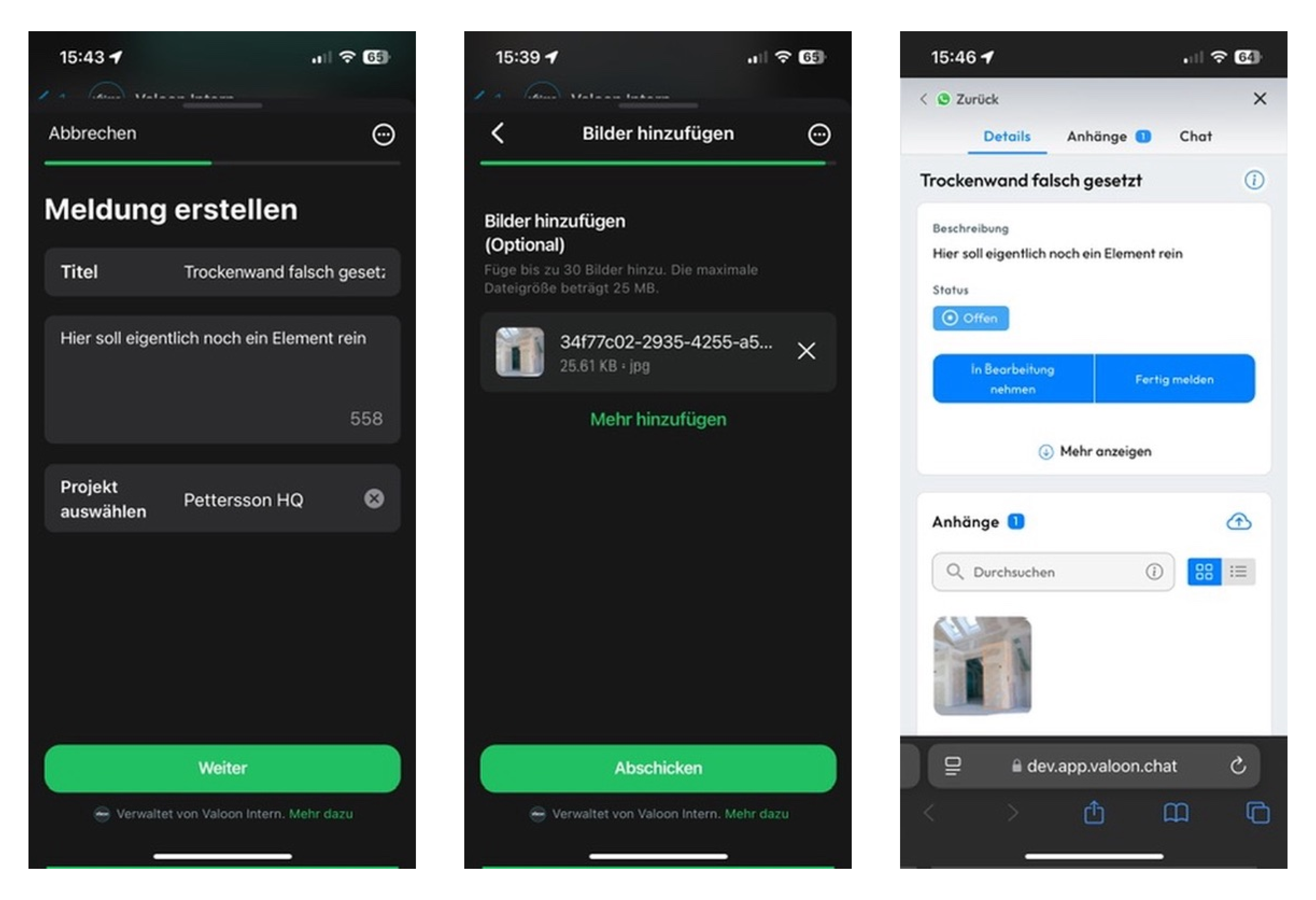
📝 "Create Reports" with WhatsApp Flows
With WhatsApp’s new Flows feature, Messenger users can now create reports more intuitively. This form-like experience is user-friendly, remembers input for continued sessions, and offers enhanced organization and tracking.
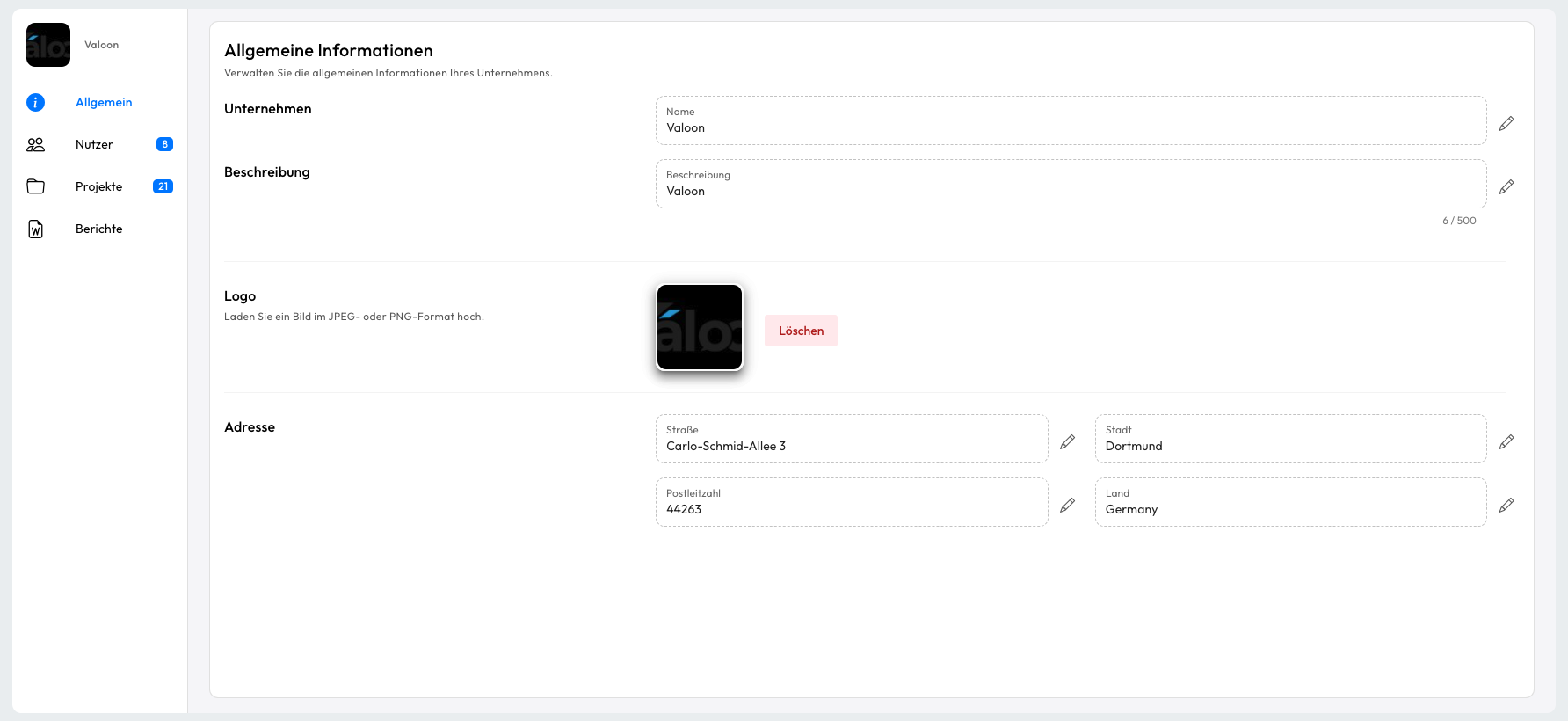
🏢 New Company View for Centralized Management
Company admins now have full control over their company’s structure. The Company View lets admins oversee projects, team members, billing addresses, and create custom report templates, all in one place. This consolidated view makes organization-level management simpler than ever before.

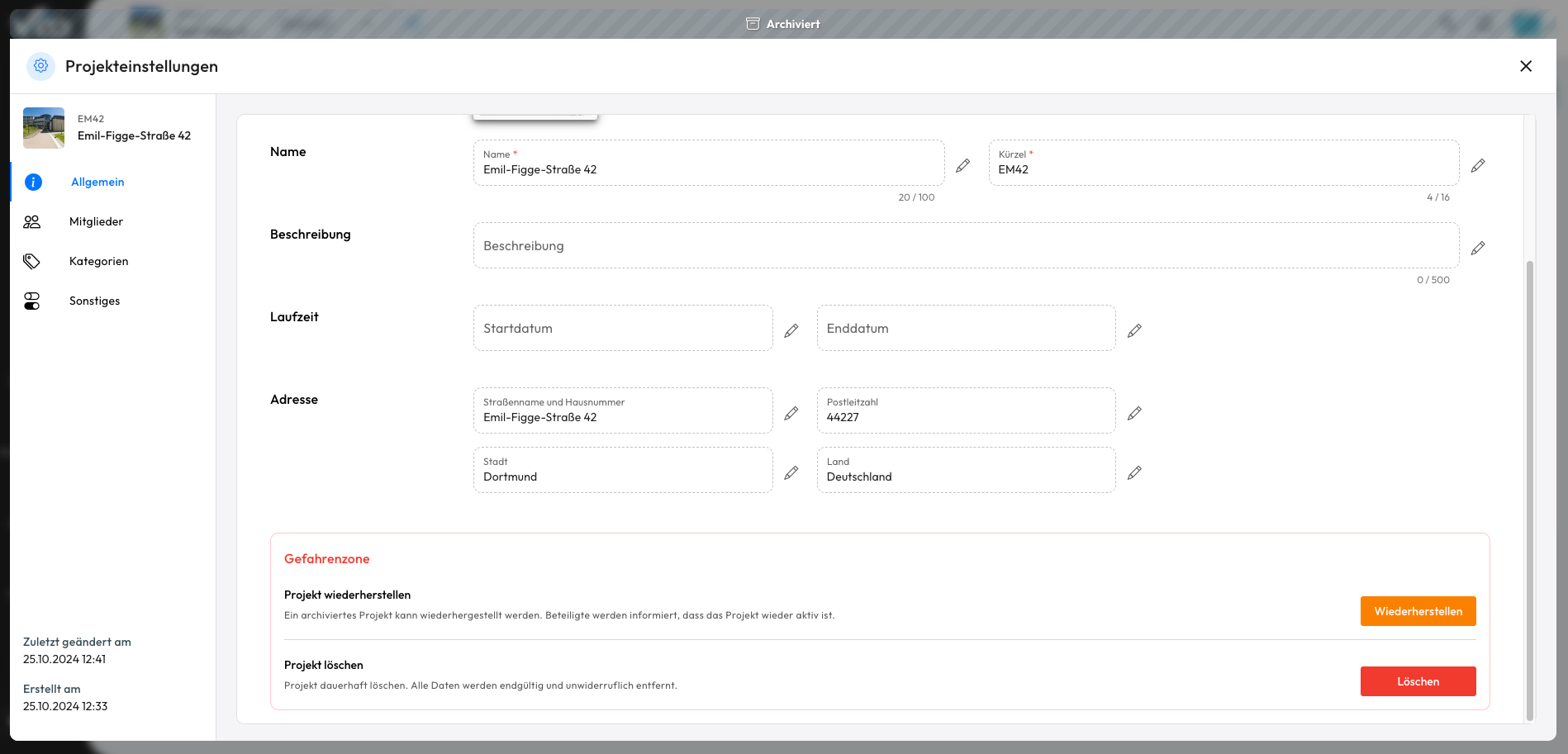
⚙️ Archive, Restore & Delete Projects Safely
A feature long in the making, we have implemented a new streamlined process for archiving and deleting projects. Archived projects are no longer visible to Msg users, i.e. the tickets within them are hidden. To prevent accidental deletions, projects cannot be deleted directly. Instead, they must first be archived to allow for review before removal. Archived projects are still editable: Valoon users can attach files and make ticket adjustments, while Msg users receive updates on any changes. When a project is restored, notifications are sent to all users, allowing it to be seamlessly reintegrated into active workflows.
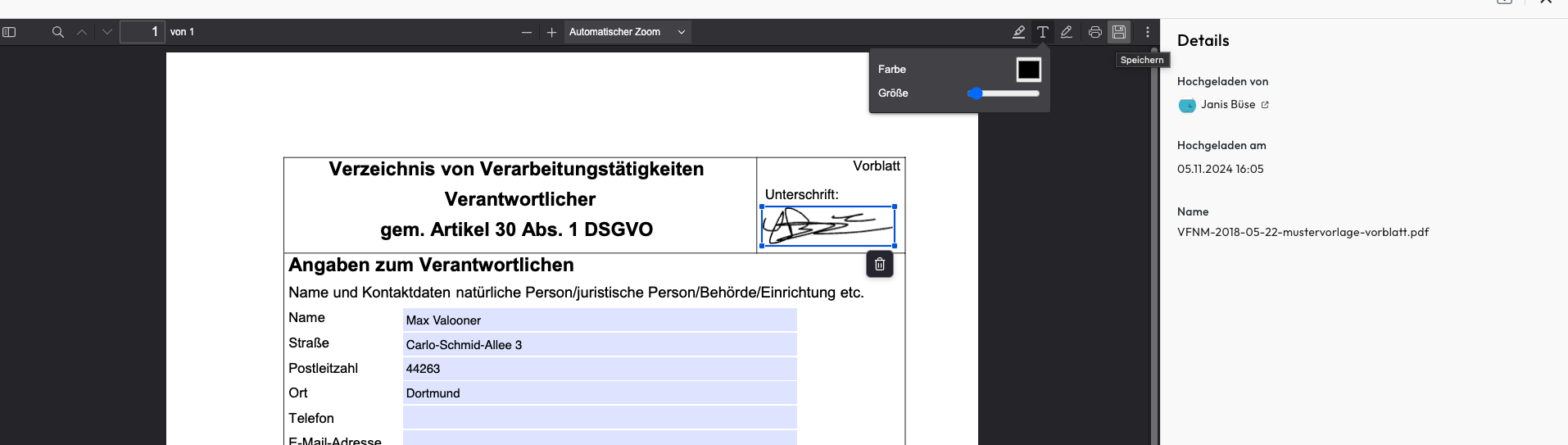
📃 Enhanced PDF Handling
The user experience around PDFs just got smoother! Now you can open, edit, annotate and save PDFs right in the document view or ticket attachments. Just click the small save icon in the top right corner of the PDF viewer. All your changes will be preserved and visible to other users.
🎨 Simplified Ticket Layout in View for Valoon-Messenger Users
Valoon-Messenger’s View now delivers a more intuitive ticket management experience. Users can seamlessly update ticket statuses—from “In Progress” to “Complete Requested”—while also adding comments and attachments. The updated ticket detail view and new project overview provide a cleaner, more organized interface, making it easier to stay on top of tasks and progress.
📲 Project portal and project related notifications
The project portal (i.e. OS view) is now accessible from the WhatsApp menu, consolidating the previous contact and document points for a focused project management view. In addition, OS users are notified when a Valoon user removes them from a project.
Additional Improvements
- Ticket lists now contain 25 elements and have the option to be switched between 25,50,100 and 200
- Changed SearchBinder to use LINQkit - more optimised search on the backend
- It is now possible to open a user's contact card from a photo viewer
- Revised the date range selector in the photo viewer
- The WhatsApp FAQ videos are now available in Spanish
- PWA notifications are now stacked on your system
- Too long project names are now truncated in notifications
- It is now possible to delete all notifications (via the gear in the notifications drop-down), and notifications are automatically deleted after 30 days