Release 1.25.0 - Dione
Why Dione? It features dramatic bright streaks across its surface—fresh ice exposed along cliff faces and canyon walls that hint at active geological processes beneath its ancient exterior. The moon also maintains perfect orbital harmony with several companions through gravitational resonance. Our Dione release continues this theme of surface refinements while deeper transformation occurs beneath.
User Highlights
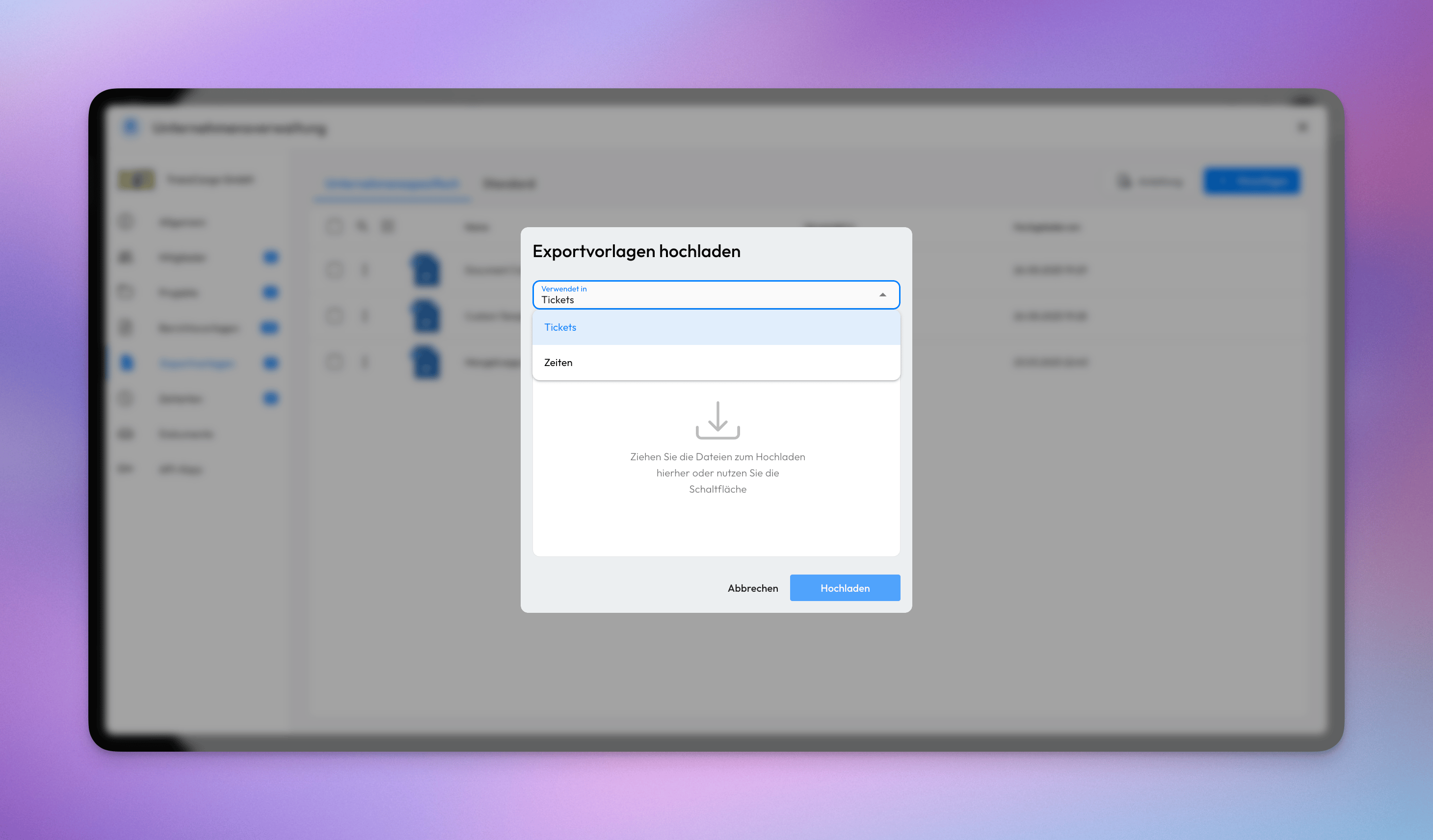
📤 Export Templates Upload
When uploading an export template, users now be able to specify whether it should be used for ticket exports, time entry exports. This flexibility allows you to create tailored export formats that match your specific reporting requirements and workflow needs.
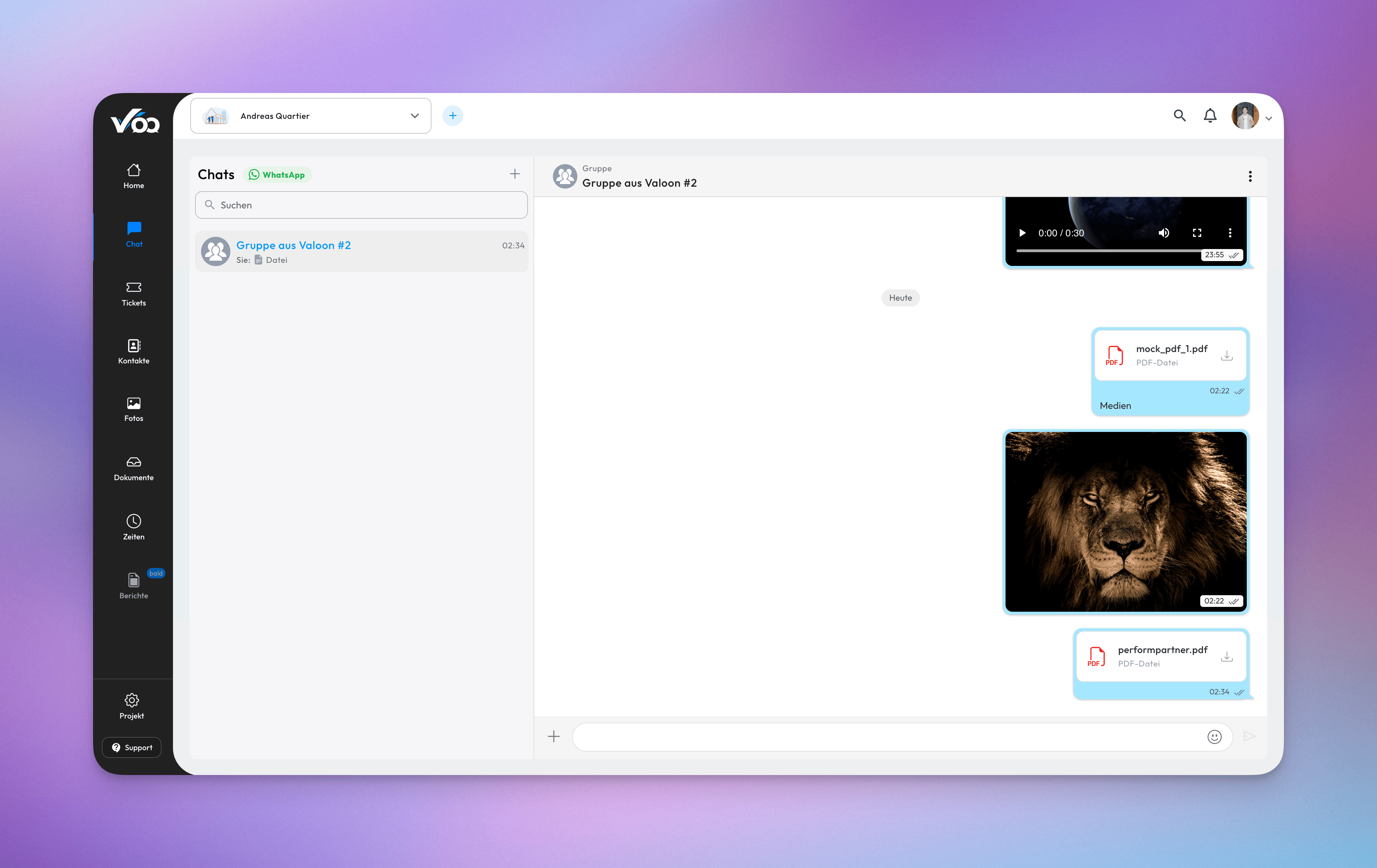
📄 PDF Support in Project Chat
You can now add, send, and view PDF files directly within project chat conversations. This enhancement allows you to share important documents, reports, and reference materials without leaving the chat interface.
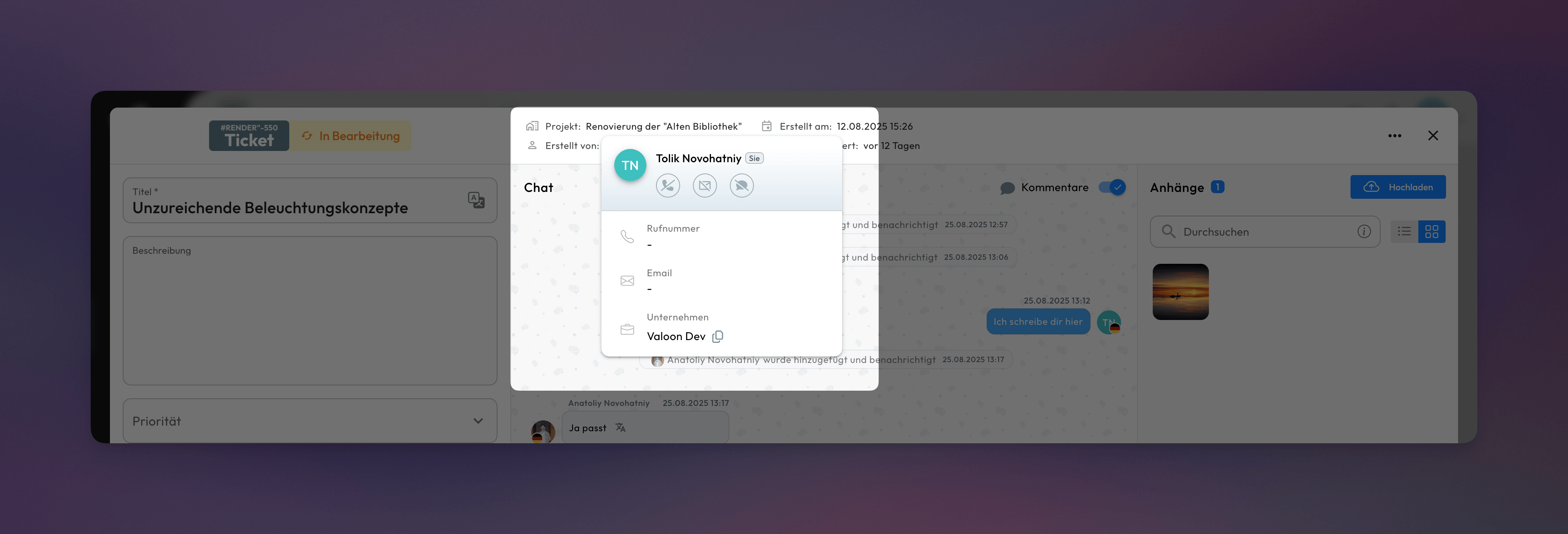
👤 Ticket Creator Details on Click
Click on the ticket creator's name in ticket details to view additional information about them. This quick lookup feature displays extended contact details such as phone number, email, and other relevant information. This enhancement makes it easier to get in touch with ticket creators when you need to follow up or gather more information.
Misc
🐞 Fixes
- [Notifications] Resolved an issue where avatars in the notification feed were not loading correctly
- [Photo Gallery] Resolved issue where bulk image downloads were incomplete, causing only a subset of selected images to be downloaded instead of the full selection
- [Projects] Corrected an issue in project creation where deleted users were still displayed in the member selection list. Deleted users are now properly filtered out, ensuring only active and valid users can be added to new projects.
- [Project-Chat] Addressed an issue where dates, such as days of the week in the chat feed, didn't respect language changes and continued to display in the default fallback language. The fix ensures that all date-related text now properly updates according to the selected language.
- [Tickets] Addressed an issue where column configurations were not retained when switching between projects. The fix ensures that user-defined column settings now persist across project changes, improving consistency and usability.
- [Tickets] Resolved formatting inconsistencies that occurred when pasting content from Microsoft Office tables and similar rich text sources
- [Tickets] Resolved an issue where
@-mention users in the ticket chat could only be selected using arrow keys, and not by clicking. Users can now select mentions seamlessly with either method, ensuring a smoother and more intuitive experience when tagging users. - [Time Entries] Addressed an issue in the time entries table where previously selected entries could become invalid after applying or updating filters
💎 Improvements
- [Tickets] Standardized the display of attachments in the ticket list by introducing a consistent sorting. Attachments are now sorted in a predictable and structured format.
- [Tickets] Made the layout switch for ticket tables more prominent to enhance visibility and improve usability. This change ensures users can more easily toggle between different table views without searching for the control.
- [Projects] Removed the
Categoriesstep from the project creation flow to streamline the process and reduce unnecessary complexity. Categories can still be managed later in project settings if needed. - [Contacts] Added functionality that allows users to remove themselves from a project directly through the contact list. This provides more flexibility and empowers users to manage their project memberships independently.
Internal
NOT INTENDED FOR RELEASE NOTES
📘 Report Generation Process
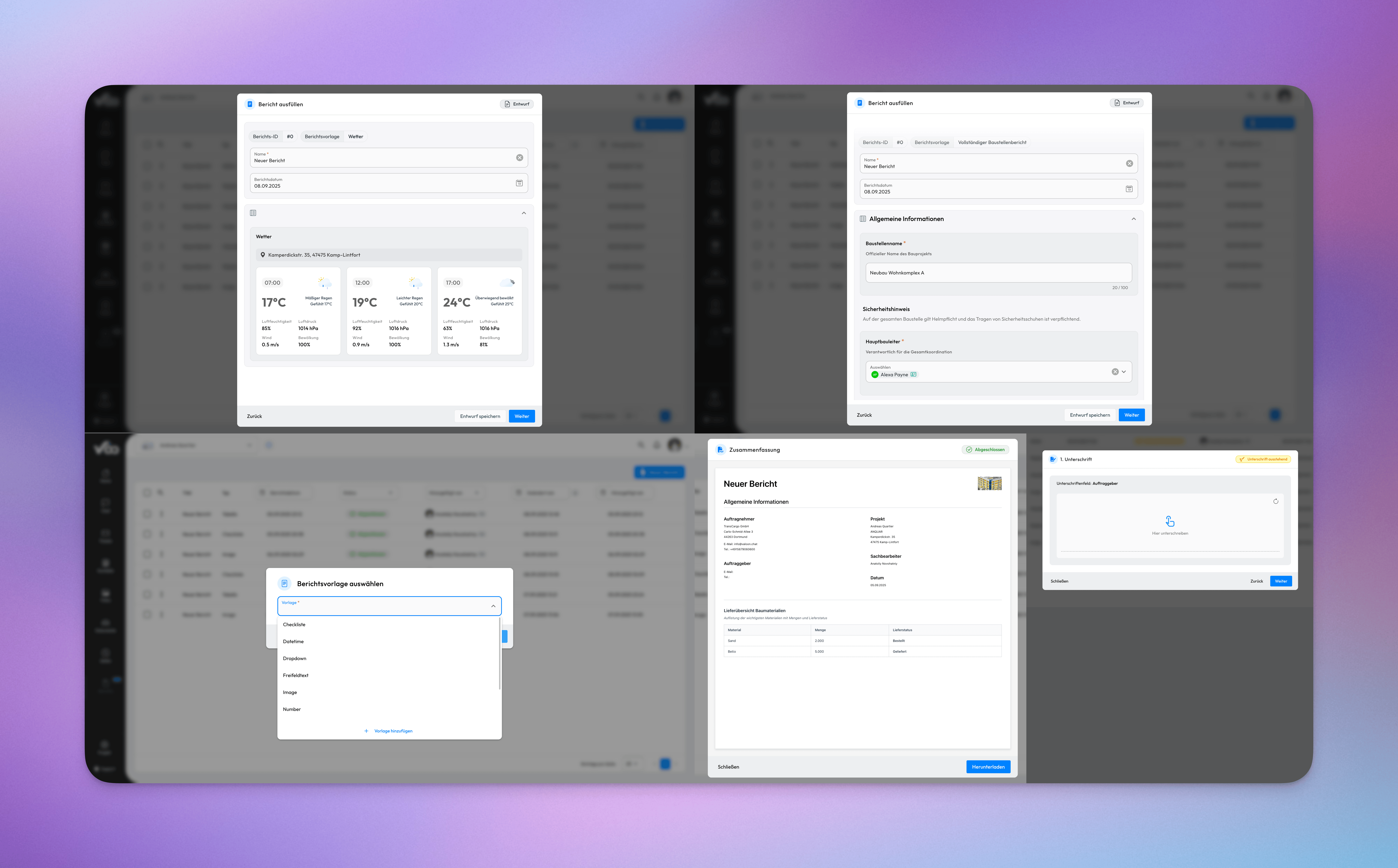
This release introduces the report creation capability as part of the comprehensive Reports feature set.
The report creation functionality provides users with the ability to configure specific parameters, define date ranges, and apply data filters to produce tailored outputs.
Generated reports can be exported in PDF format, facilitating seamless distribution to stakeholders and supporting organizational documentation and archival processes.