Release 1.22.0 - Mimas
Why Mimas? What makes Mimas instantly recognizable is the enormous Herschel crater that dominates almost one-third of its surface. This massive impact crater is so large relative to the moon's size that it's remarkable Mimas survived the collision that created it.
User Highlights
🖼️ Time Entry Attachments in the Photo Gallery
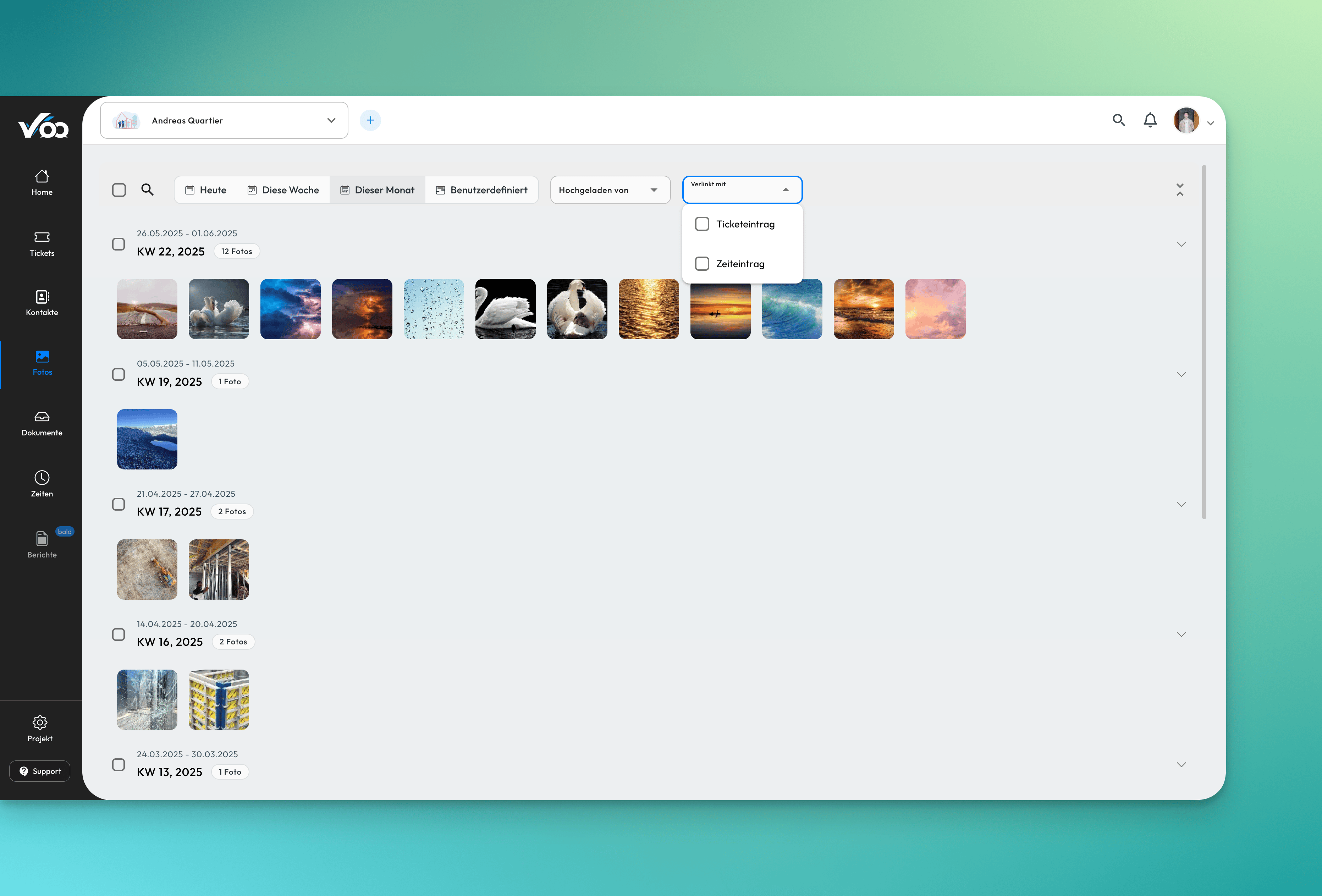
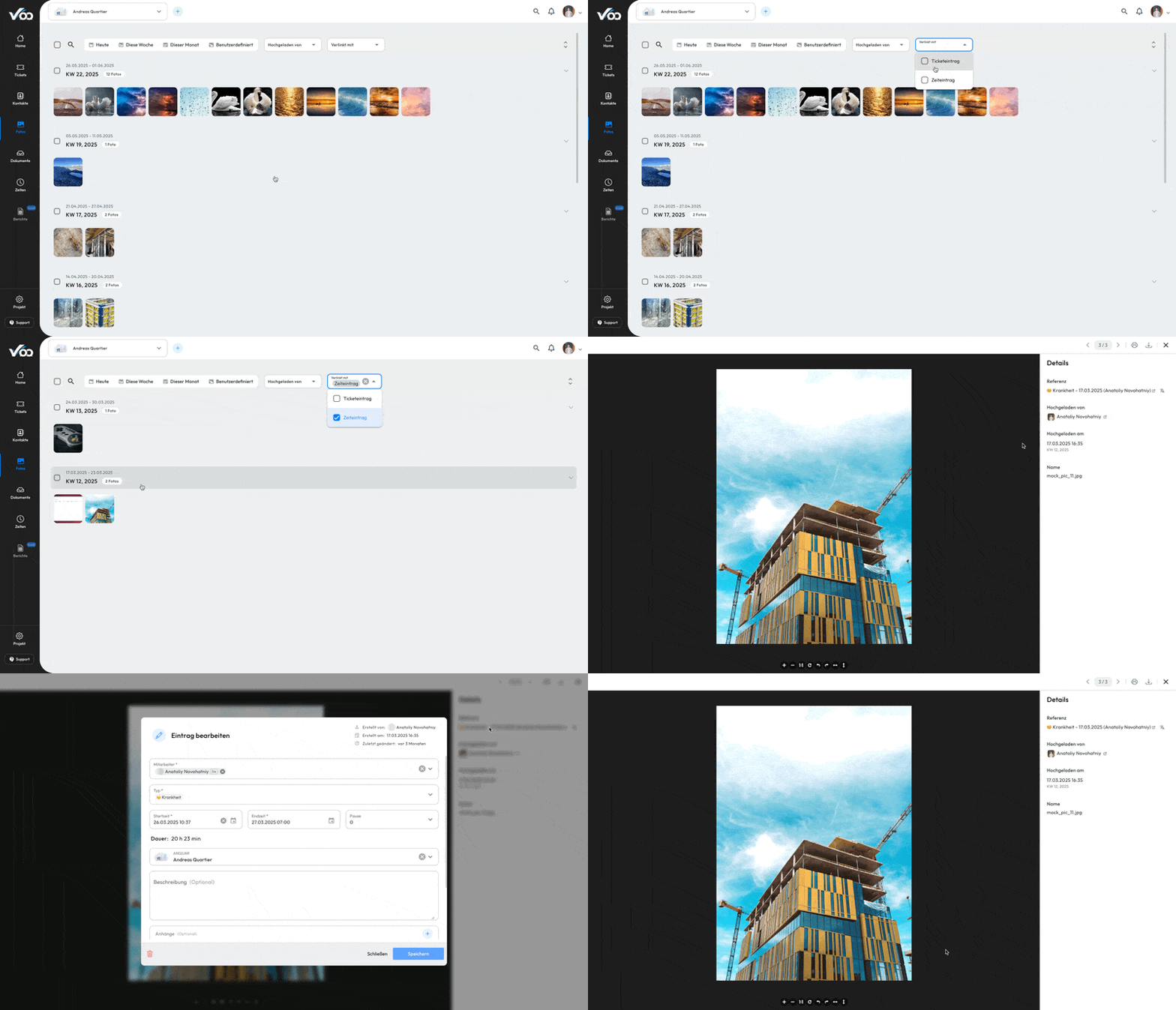
Our Photo Gallery is evolving! Until now, it displayed only images attached to tickets — but we’ve expanded its scope. From now on, time entry attachments will also appear in the gallery, giving you a unified visual overview of your project assets.
To keep things organized, you can filter the gallery to show only ticket attachments or only time entry attachments, depending on what you need. This transforms the gallery into a central hub for all project-related images.
As a bonus feature, you can now collapse calendar weeks and even select an entire week for batch downloading. Keep an eye out — even more improvements are on the way!
📅 Revamped Due Date Notifications
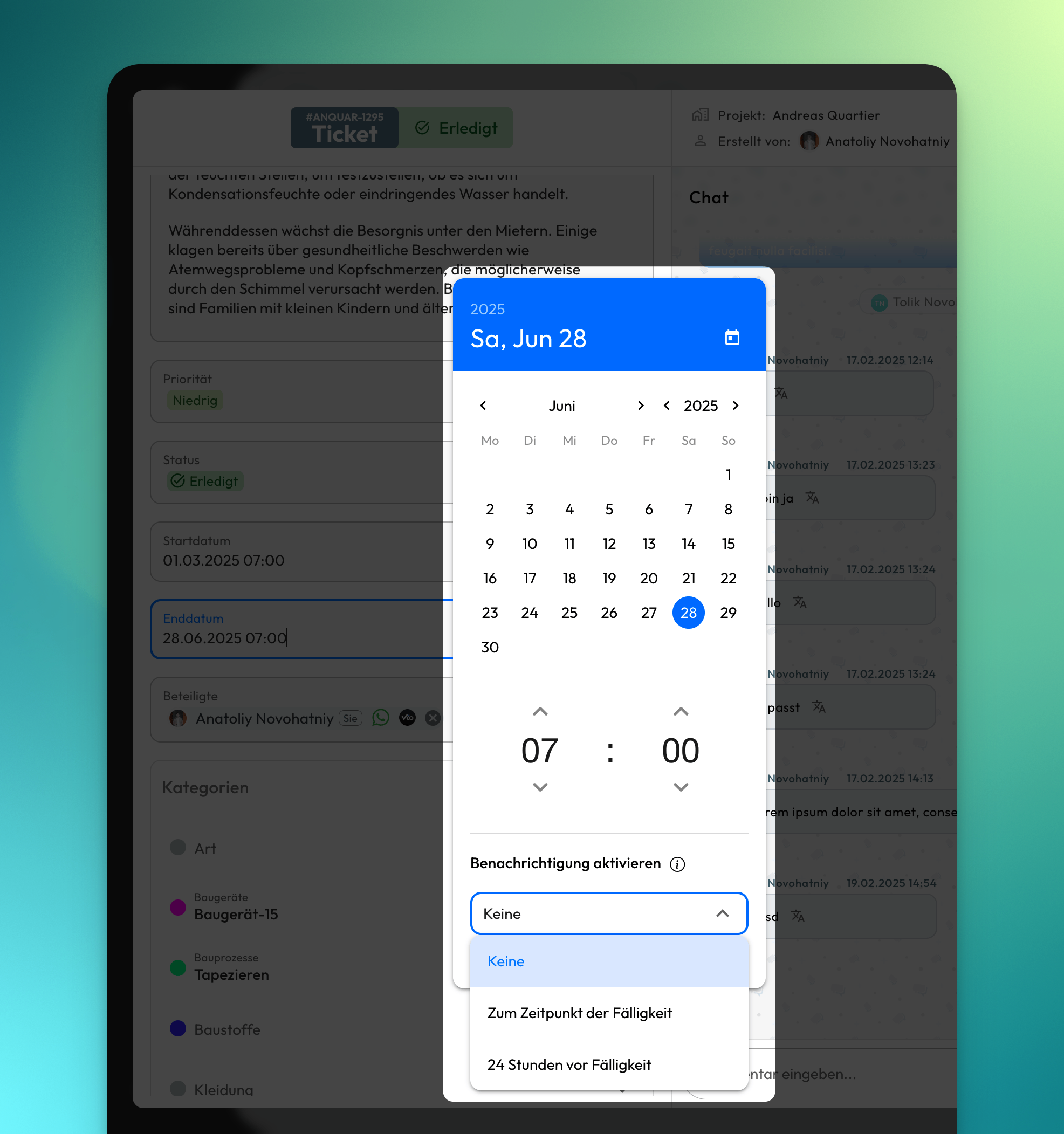
You asked, we listened: due date notifications are now fully customizable! You can now choose when and if ticket participants are notified about upcoming or overdue deadlines. The available options are:
- None
- One day before due date
- At overdue
By default, notifications are turned off. In addition, tickets that are already completed or rejected will no longer trigger due date alerts. A long-overdue improvement — quite literally! 😄
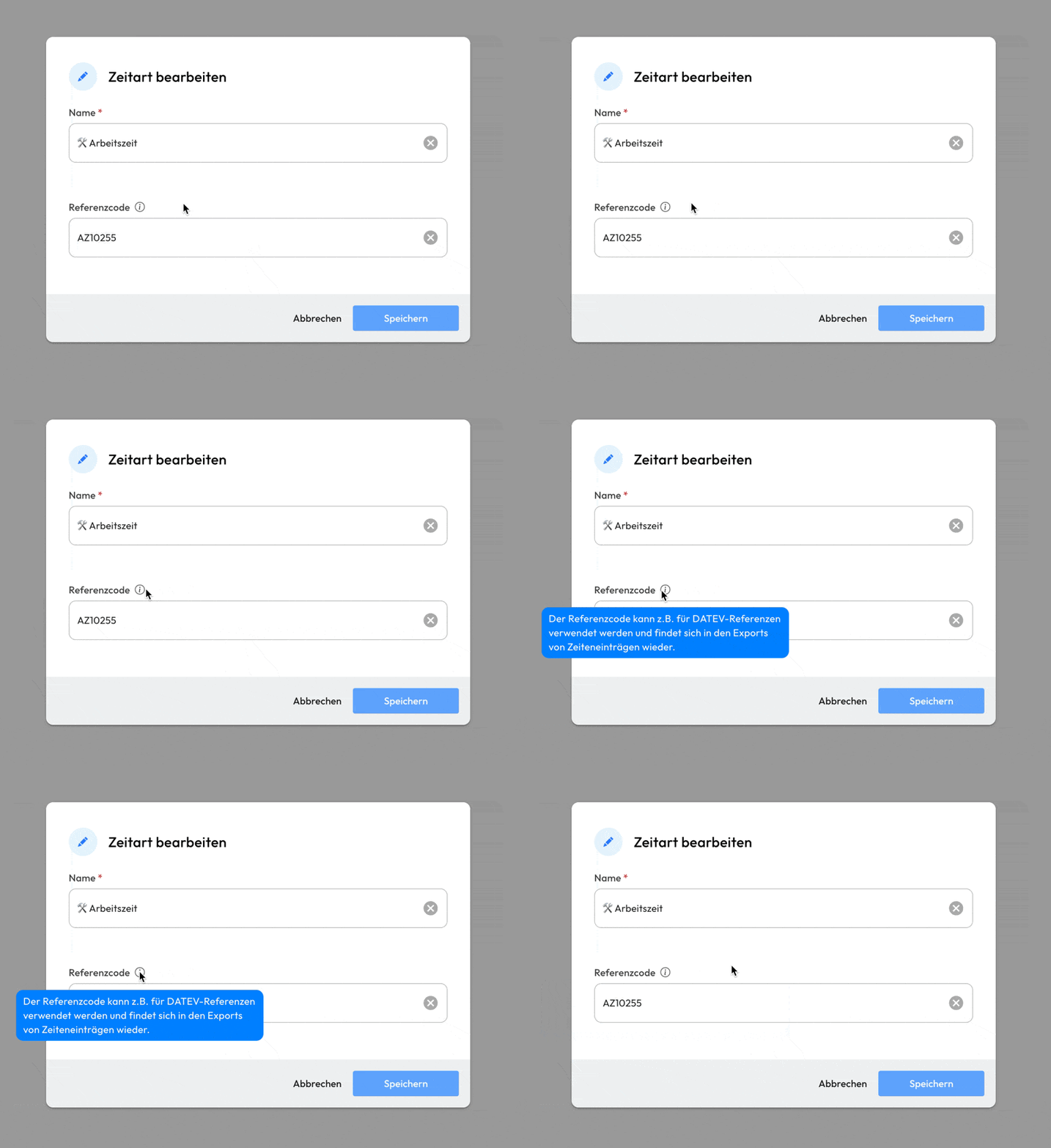
🔢 Reference Code for Time Entry Exports
For integrations with tools like DATEV, time entries often need to include a reference code. With this update, you can now define a reference code for each time type directly in the company management settings. These codes are then automatically included in your time entry exports.